On their home screen
Your logo, your colors and your icon sit next to the apps they use every day. Coming back to your store is one tap.
Mobile app builder for Shopify
Design it with drag-and-drop blocks, preview it live, and publish to the App Store and Google Play. Products, collections and prices stay in sync with Shopify. No code, no developers.
Why a mobile app
A website waits to be found. An app sits on your customer's home screen, sends them news the moment it happens, and makes coming back effortless.
Your logo, your colors and your icon sit next to the apps they use every day. Coming back to your store is one tap.
Announce new drops, restocks and sales straight to your customers' lock screens, with images, from inside your Shopify admin.
Native screens for browsing, wishlists and cart. Checkout runs on Shopify, so your payments, discounts and shipping work just like your store.
The builder
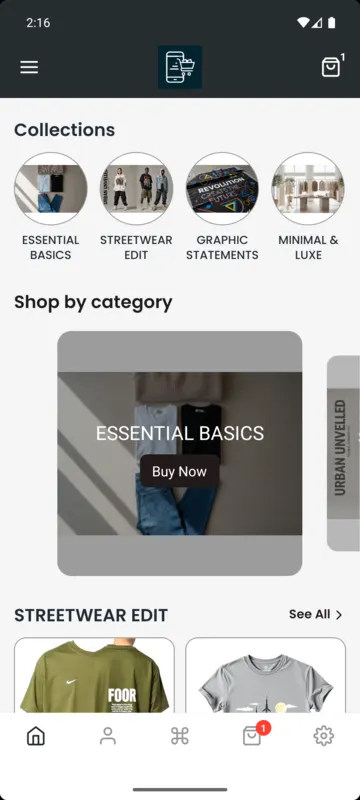
Stack blocks on your home screen, set your colors and menus, and watch the preview update as you go. Change it any time: your app picks up the new design without a new store release.
Home screen
Design
Bottom bar
Everything included
Products, collections, prices and stock come straight from Shopify. Update your store and the app follows.
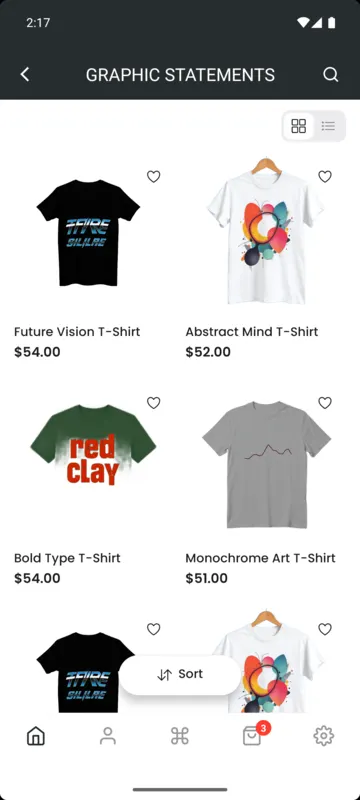
Customers find what they want fast, with grid or list views on every collection.
Shoppers save favorites and come back to buy them later.
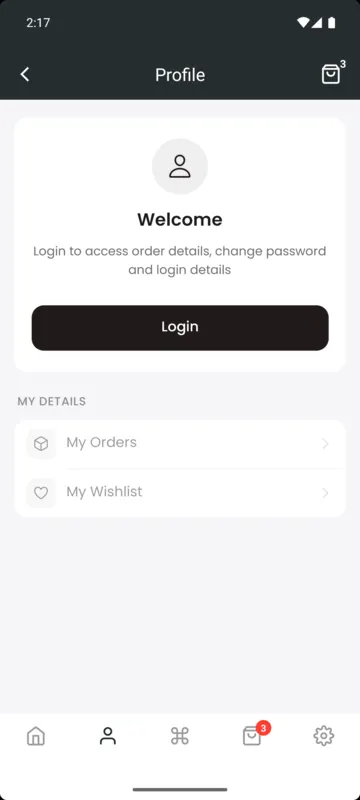
Order history and saved details. Works with Shopify's classic and new customer accounts, including email code and Google sign-in.
Send rich notifications with images to everyone who installed your app.
Shoppers browse in the currency they know.
Custom app icon, splash screen, logo and colors, so it looks like your app because it is.
Edit and translate every label in your app, from buttons to empty states.
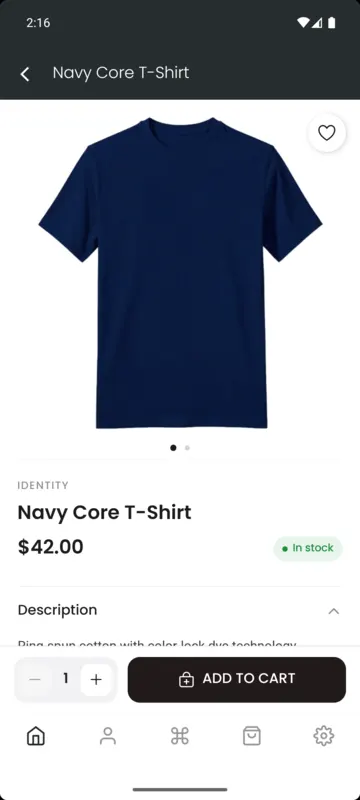
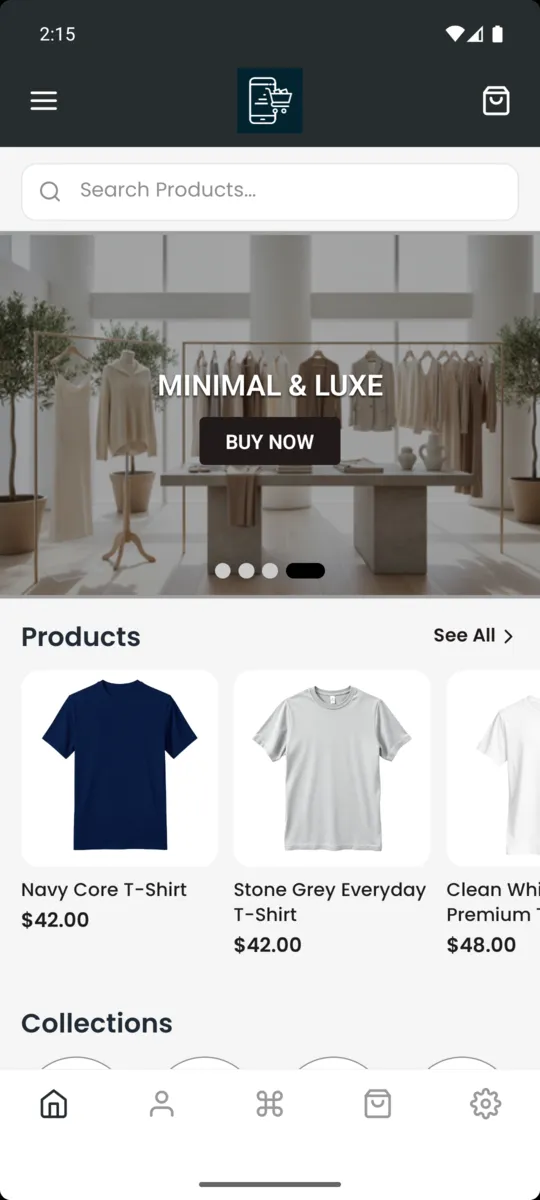
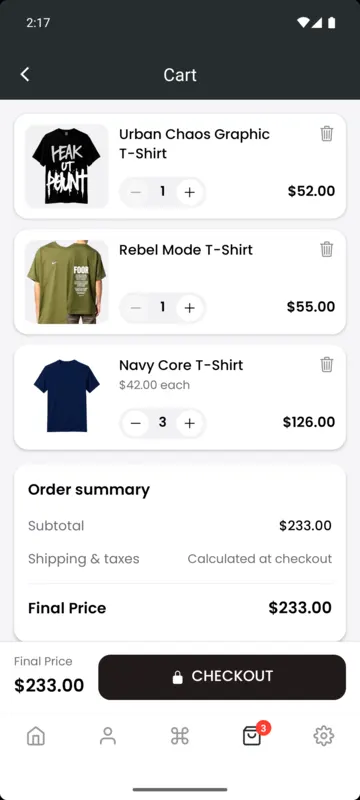
Real screens
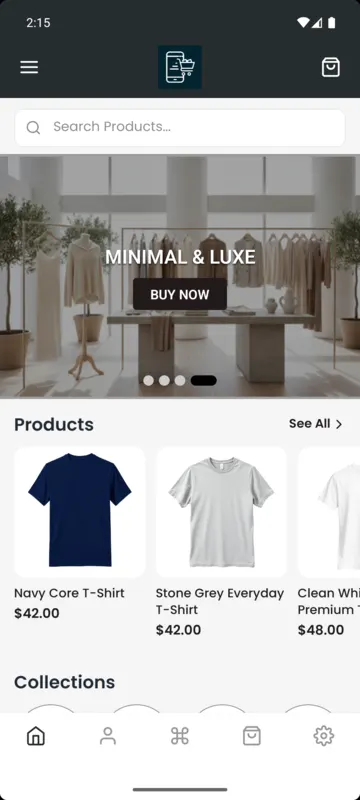
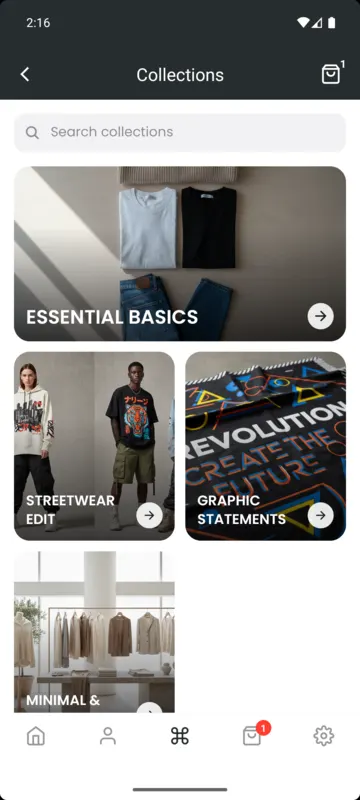
These come from a store app built with Casa, not mock-ups.
How it works
Add Casa to your store in one click. Your products and collections are ready to use straight away.
Pick blocks for your home screen, set your colors, logo and menus, and preview every screen as you build.
Follow our step-by-step publishing guide to launch on the App Store and Google Play. Our team is there if you get stuck.
Pricing
Prices in USD, billed through your Shopify invoice every 30 days. Change or cancel any time.
$0
Design and preview your app.
Install freeMost popular
$29/month
Launch your app on both stores.
Start 15-day free trial$49/month
For brands that want more insight and control.
Get PremiumFAQ
Something else on your mind? Install Casa for free and ask us from inside the app.
No. You build your app by choosing blocks and settings in your Shopify admin, and you see a live preview as you go.
Yes. The app reads products, collections, prices and stock from your Shopify store, so changes you make in Shopify show up in the app.
No. Home screen blocks, colors and menus are loaded when the app opens, so design changes you save in Casa reach your customers without a new App Store or Google Play release.
Yes. Installing Casa is free, and you can design and preview your whole app before you decide to launch it.
Checkout runs on Shopify, so your payment methods, discount codes, taxes and shipping rates work just as they do on your online store.
Yes. Casa supports Shopify's classic customer accounts and the new customer accounts, including email code and Google sign-in.
Everything is billed by Shopify on your regular Shopify invoice, and you can change or cancel your plan from inside the app.

Install Casa free, design your app today, and launch when you're ready.
Install free on Shopify